Pick a Shuttle Float
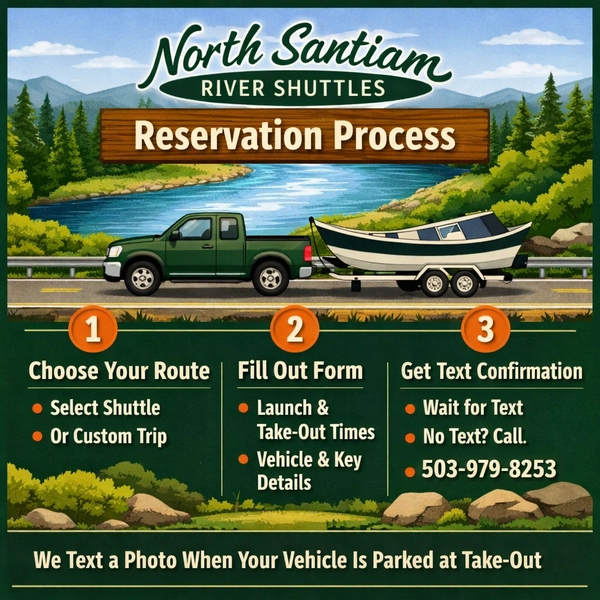
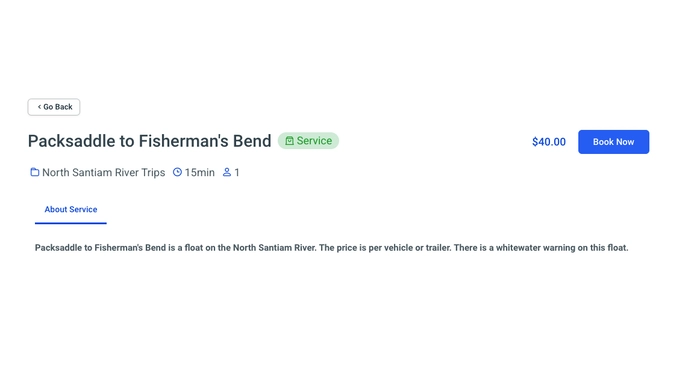
Go to Book now and select the exact launch ramp and take-out ramp for your trip.
-
Choose the route that matches your float (example: Packsaddle → Fisherman’s Bend).
-
If your route is not listed, choose the Custom Trip option and describe your float in the notes.
Choosing the correct float section ensures your vehicle ends up at the correct take-out ramp.
Pick a Date
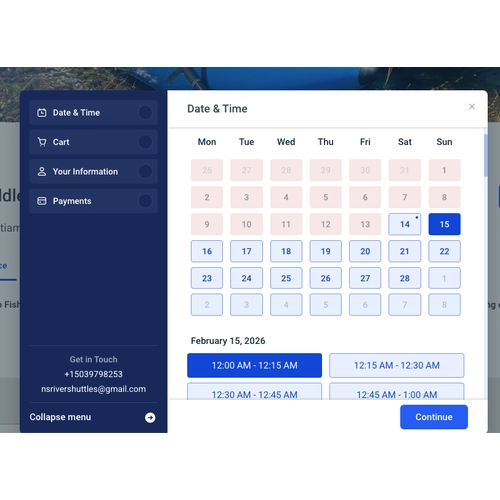
Select the day you plan to float.
-
Double-check the calendar before continuing.
-
Make sure the date matches your actual launch day.
-
If you are floating early in the morning, verify you selected the correct date.
Incorrect dates are one of the most common booking mistakes.
Pick a Time
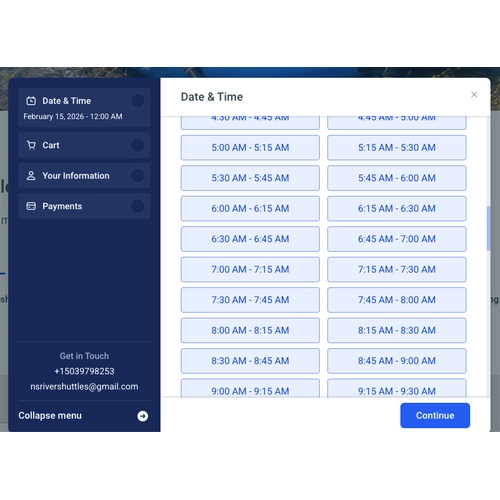
Select your planned launch time.
-
Choose the time you expect to put on the water.
-
Be realistic. If you’re meeting friends at 8:00 AM, don’t choose 6:00 AM unless you’re actually launching then.
-
This helps us plan shuttle timing accurately.
Fill Out the Information Form
This is the most important part of the reservation.
You will enter:
-
Launch time
-
Estimated take-out time
-
Vehicle make, model, and color
-
Trailer description (if applicable)
-
Key location (lockbox, under mat, etc.)
-
Special instructions
-
Cash payment location (if paying On Location)
Be specific and detailed. Clear information prevents delays and confusion.
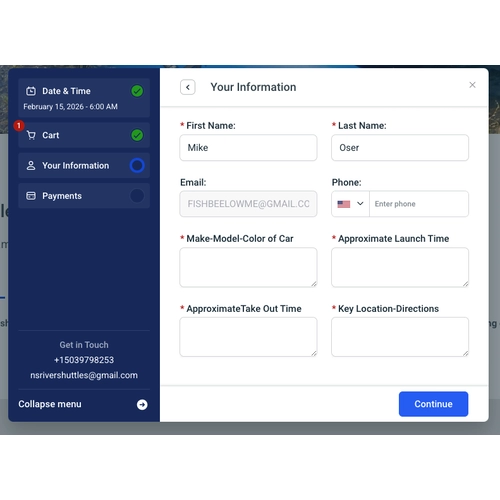
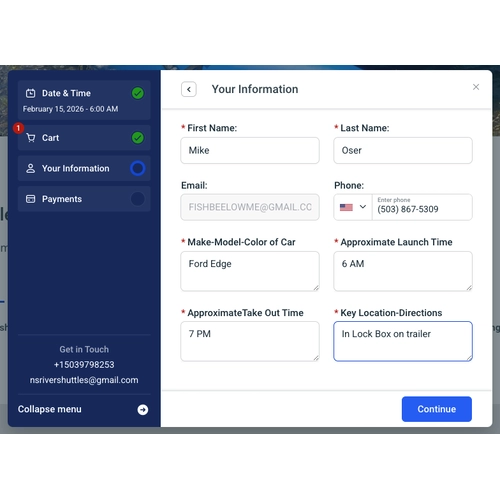
Complete the Information Form and Click “Continue”
Before clicking Next:
-
Review all information carefully.
-
Confirm your date and float section.
-
Make sure key location and vehicle details are accurate.
Then click continue.
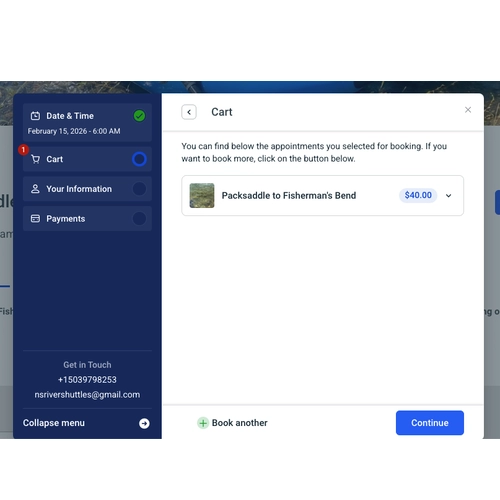
Go to Cart and Click “Continue”
You will now see your shuttle reservation in your cart.
-
Confirm the correct float section.
-
Confirm the correct date.
-
Confirm pricing.
Once verified, click Continue to proceed to payment.
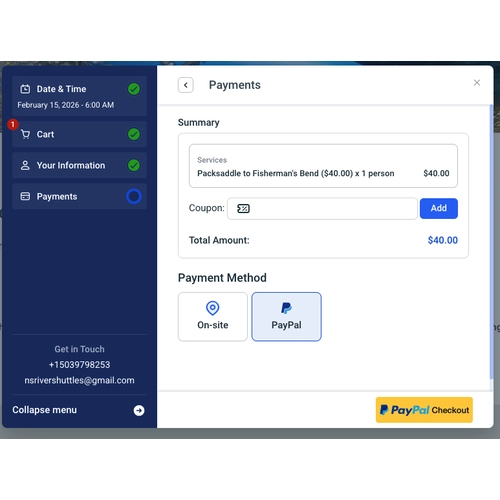
Select Payment Method and Click “Finish”
Choose one of the following:
PayPal (Preferred)
-
Secure online payment.
-
Fast and confirmed instantly.
On Location (Cash)
-
Leave cash payment inside your vehicle.
-
Clearly state where the cash is located in the Notes section.
Example: “Cash inside center console.”
After selecting your payment method, click Finish.
See the Congratulations Screen
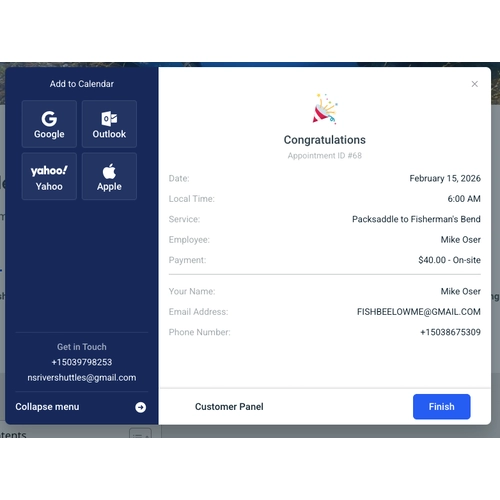
After clicking Finish:
-
You should see a Congratulations / Reservation Complete screen.
-
This confirms your booking request was submitted through the system.
If you do NOT see this screen, your reservation may not have processed.
Look for the Confirmation Email
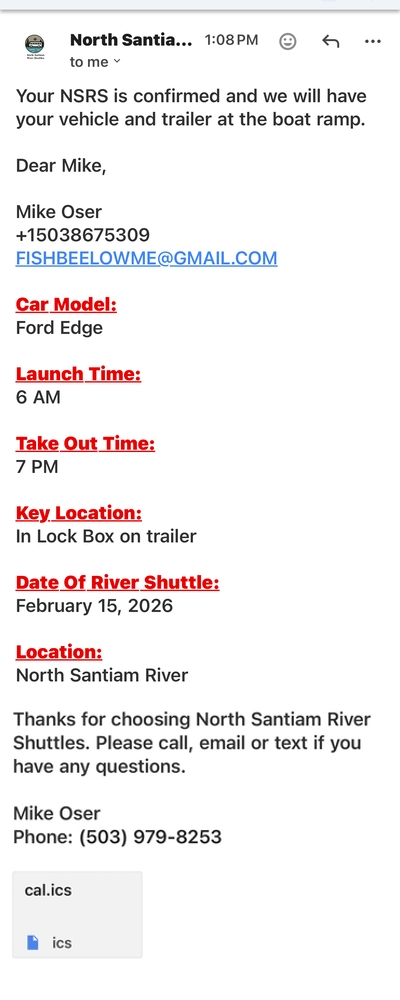
Immediately after booking:
-
A confirmation email should be sent to the email address you entered.
-
Check your inbox.
-
Check spam or junk folders if needed.
If you do NOT receive a confirmation email, your reservation was likely not received.
Look for the Text Message With Final Confirmation
Your shuttle is NOT verified until you receive a confirmation text from us.
-
We typically send text confirmations the next morning.
-
This text confirms your shuttle is scheduled.
-
On float day, we will also text a photo once your vehicle is parked at the take-out ramp.
VERY IMPORTANT
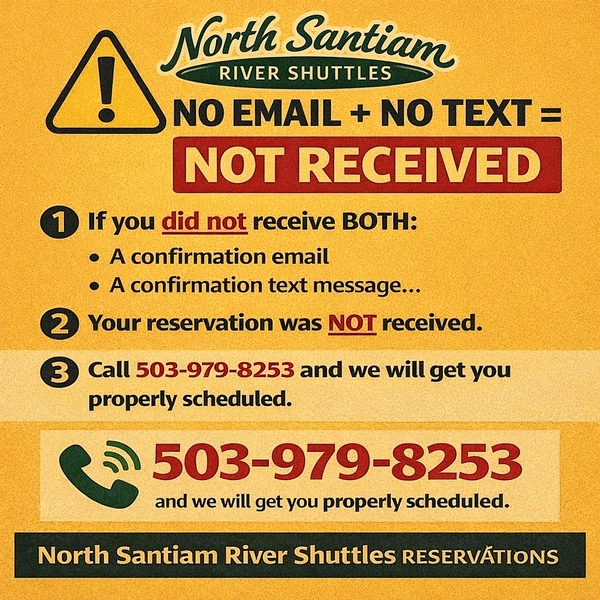
If you did NOT receive:
-
A confirmation email
AND -
A confirmation text message
👉 Your reservation was NOT received.
📞 Call 503-979-8253 before you launch and we will get your vehicle properly scheduled.
No email + no text = No confirmed shuttle.
River Shuttle Booking FAQs
Is my shuttle scheduled after I submit the form?
No. Your shuttle is NOT verified until you receive a text confirmation from us.
What if I don’t receive a confirmation text?
Call 503-979-8253 before launching and we will get your vehicle properly scheduled.
Can I pay cash?
Yes. Leave cash inside your vehicle and clearly note the payment location in the booking form.
What if my float section isn’t listed?
Choose the Custom Trip Option and describe your route.
When will I receive confirmation?
Typically the next morning after submitting your booking.
Will I know when my vehicle has been moved?
Yes. We text a photo of your vehicle and trailer safely parked at the take-out ramp.